Scope an existing repo: planning with AI when the code is already there
Planning tools assume a blank page. Your project isn't one. How to get a plan that knows your stack, your conventions, and what already exists, without writing a single file into the repo.
 4 min read
Every AI planning demo starts with an empty text box, a one-line idea, and a tidy plan for an app that doesn't exist yet. That is not your situation. You have a repo. It has a stack, a folder layout, half-finished features, and three years of decisions nobody wrote down.
A plan that ignores all of that is worse than no plan, because the agent will follow it.
What a plan has to know before it can be useful
Four things, and all of them come from the code rather than from you:
- The stack you run. Not "a modern web app." Next.js 16, Postgres through Supabase, CSS modules, no Tailwind. Whatever it is.
- The conventions you follow. Where routes live, how components are named, how auth is handled, what a finished feature looks like in this codebase.
- What already exists. So the plan says "extend the billing page" rather than "build a billing page."
- What's missing. No tests around payments. An auth flow that stops at email and password.
A tool that can't read the repo can't know any of this. It fills the gaps with whatever a typical project looks like, and your project is not typical.
How it works
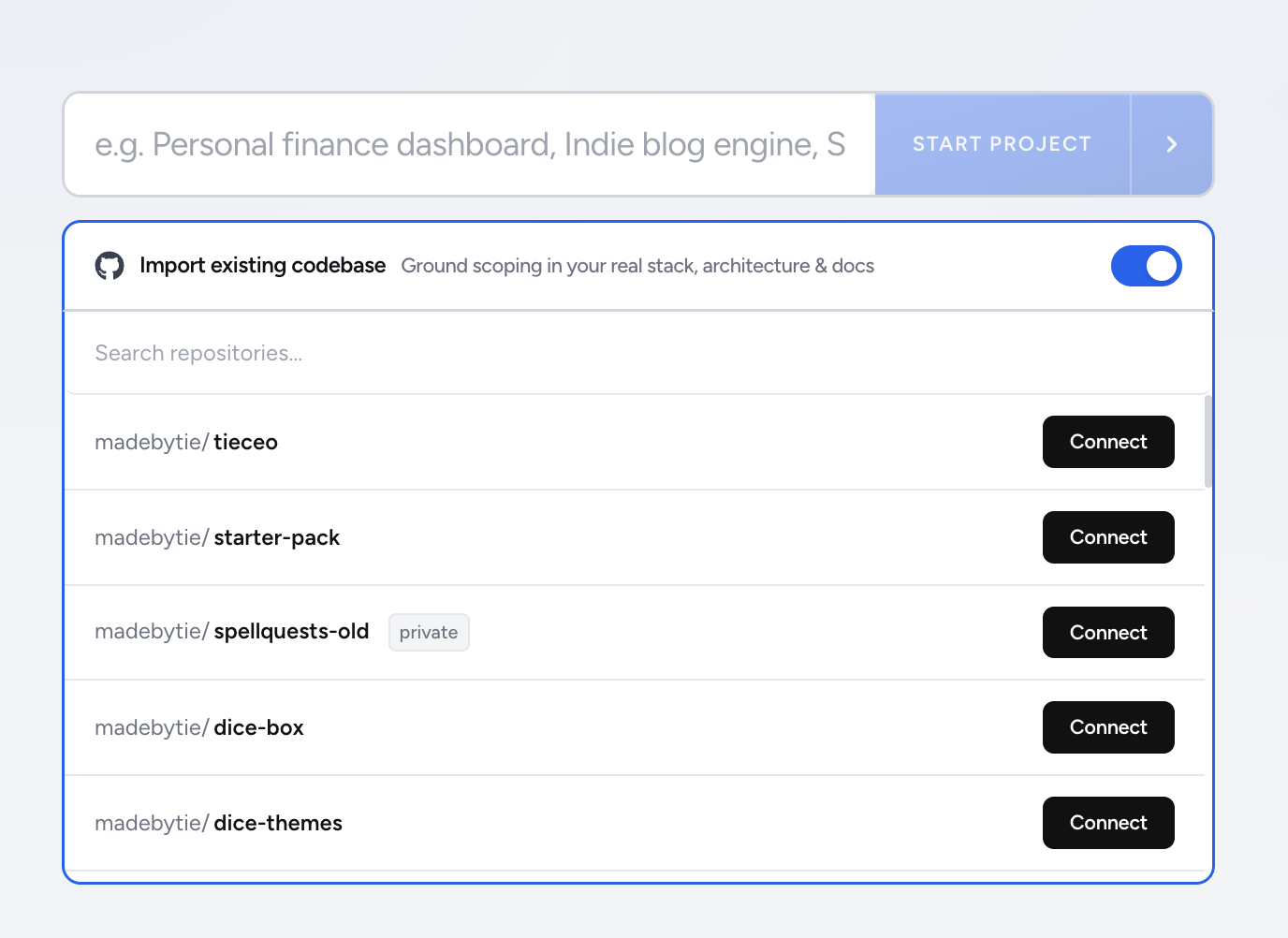
Connect GitHub and choose the repo. The engine reads it before it plans anything: the file tree, the package manifests, the config, the shape of the code. Then you say what you want to do. A paragraph, a pasted ticket, or one sentence all work.
What comes back is a tree of modules, features, and tasks. Every task carries acceptance criteria, an estimate in the unit you plan in, and its dependencies. Tasks are sized so that one agent session can finish one of them, because a task an agent can't finish in a sitting is a task it will half-do and forget.
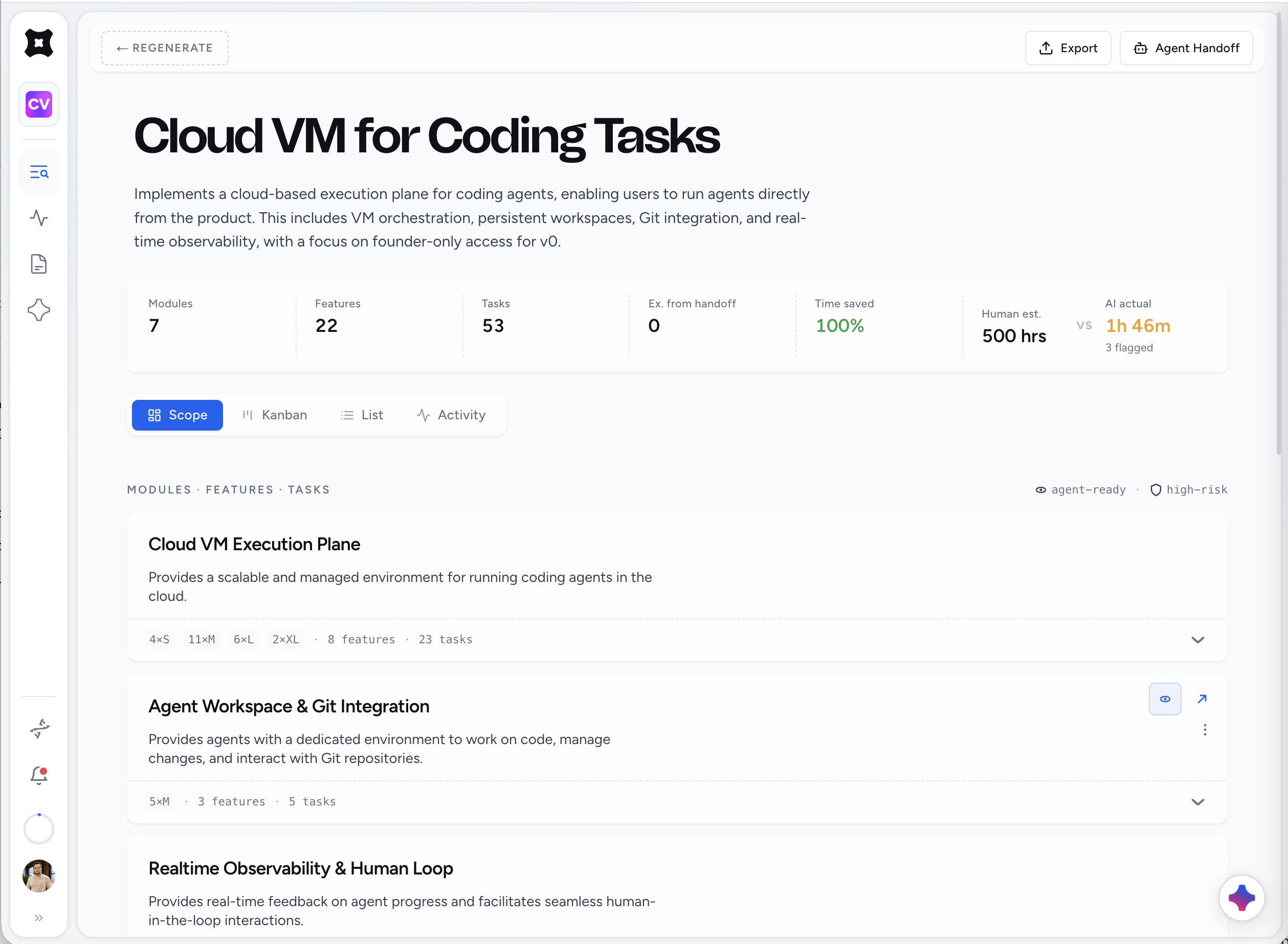
Two things deliberately don't happen. Nothing is written into the repo: no PLAN.md, no .scope/ folder, no pile of markdown. The plan lives in the workspace and your agent reads it from there. And the engine doesn't redesign your architecture. It plans inside what you have. If you want to change the architecture, that's a module you add on purpose.
Shape it
The first tree is a draft. Open Architect Chat and push on it.
Ask what you can cut and still ship. The answer comes back as a specific change to the plan, say moving two tasks to a later module because nothing else depends on them. You preview it, apply it, and the tree updates. Ask it to split the auth feature into tasks one agent can finish, and the same thing happens. Decisions land in the plan, not in a transcript.
This is where most of the value is. The engine gets you most of the way in a minute. Ten minutes of cutting and reordering gets you a plan you'd bet a weekend on.
Pin your defaults
The second scope on the same repo shouldn't relearn everything. Pin your stack, your target agent, and how you like tasks written. Every new scope starts from those. If you write acceptance criteria as Given/When/Then, say so once. If your agent is Claude Code, say so once and tasks come out sized for it.
Hand it off
Connect your agent. Claude Code, Cursor, Codex, and most other MCP clients work; press Connect or paste one line. The agent pulls the next ready task with its criteria and everything the last session decided, and writes back as it works. Or queue the task to a cloud run and get a pull request without opening a terminal.
Either way, the agent starts from the plan instead of from a cold prompt about a codebase it has never seen.
How to tell whether it really read the repo
Look at the first tree and check for your own nouns. A grounded plan names the folders, components, and tables you already have: "extend Pricing.tsx," "add a column to subscriptions," "reuse the existing Header menu." An ungrounded plan says "set up the database" and "create the pricing page" for a project that has both.
The second kind is planning a template. The first kind you can hand to an agent with a straight face.
Where to start
Import one repo and scope the thing you've been putting off. If the tree describes your project accurately, you'll know within a minute whether the rest of this is for you.