Watch the build happen in real time.
One real-time view of every task across the whole project: what's in progress, what's blocked, who's on it (human and agent), and what changed. It answers "what's happening right now?" without opening the blueprint or polling your agent for an update.
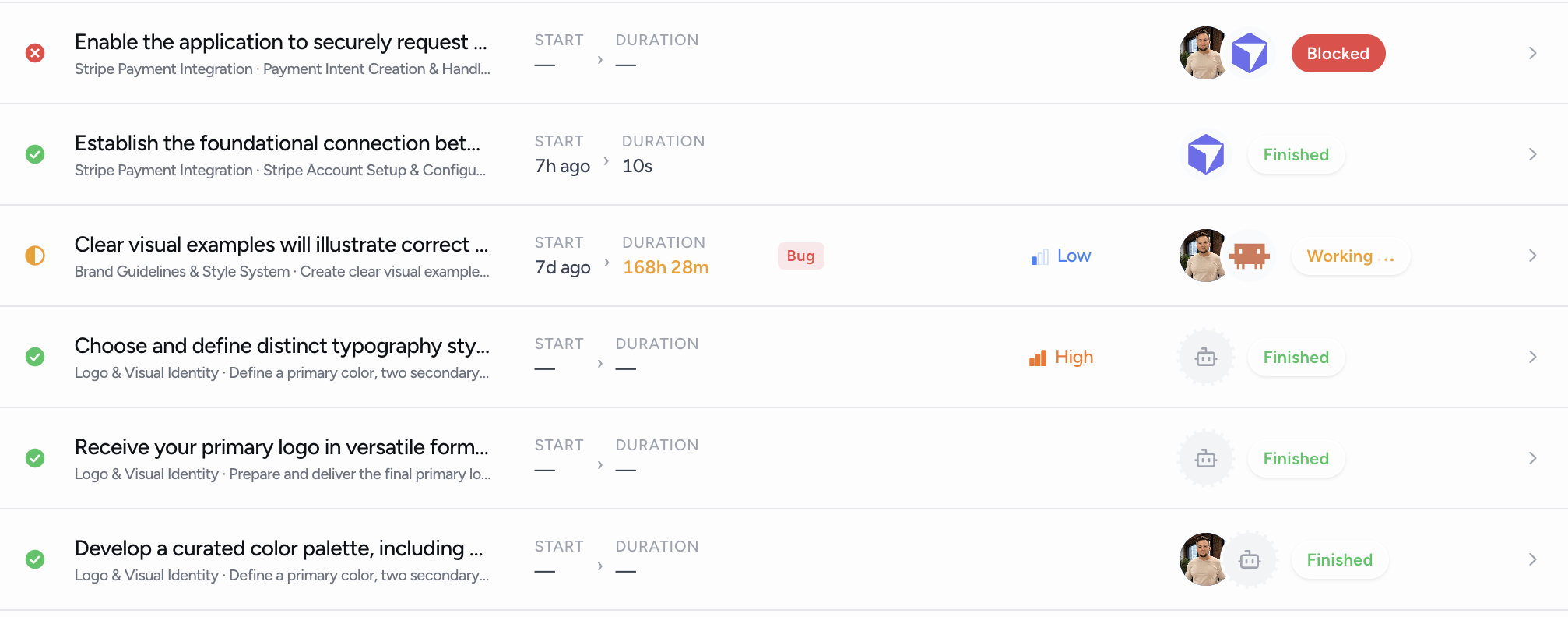
Every task, every agent, one real-time view.
The workspace rolls up your entire scope into a single dashboard: status, owners, agents, time in progress, and a live feed, updated as your team and your AI work.
Live status across the whole project
In progress, blocked, in review, up next, and done, rolled up across every task. The operational pulse of the build, not the planning tree.
Human and agent accountability
Every row shows the human owner and the assigned agent. An activity feed attributes every change to a person, an agent, or the system, with an 'agent active' timestamp so you know it's alive.
Honest time in progress
Start and duration on every task, counted only while work is actively in progress. Blocked and in review pause the clock; resumed work adds up across sessions.
It asks on the task. You answer there.
When your agent hits a decision, it comments on the task and @mentions you, right in the workspace. You reply, it reads the answer via MCP, and picks up where it left off. Every status change, comment, and tag lands in one thread, from both humans and agents. No new chat, no context reset.
@tie building the onboarding flow. Should new users land in an empty workspace, or do we drop them into a sample project so it doesn't feel empty on day one? I'll pause here until I hear back.
Real-time where it counts. Honest about the rest.
- +Status and activity stream in as your team and MCP agents work, no refresh
- +A live connection indicator so you know the feed is connected
- +Owners, agents, tags, priority, and timing in one fast view
- –Not a terminal stream of every tool call your agent makes
- –Not a replacement for your IDE or your repo
- –The full audit history lives on a dedicated Activity page
The build doesn't stop when you close the chat.
Set up MCP once and your workspace stays live for every session, every agent, every task.